
New: we rebuilt the HOA Inbox
Folders, threaded conversations, role labels, and a directory-aware compose flow — so your board can run shared email like a real mailbox, not a shared Gmail tab.
Every small board I know has lived some version of the same email mess. Residents write the president. Vendors write whoever answered last time. Board members forward threads into a group text. Somebody says "I thought you were handling that." Three weeks later the landscaper is still waiting, and nobody can find the message with the quote attached.
We gave every Fourplex HOA a shared address at the start — <your-hoa-name>@hoamail.app — so the board had one place to look. That was the right first move. But the first inbox was still thin: Inbox and Sent tabs, a compose button, and not much else. Fine for "we have email." Not enough for "we can run the board from here."
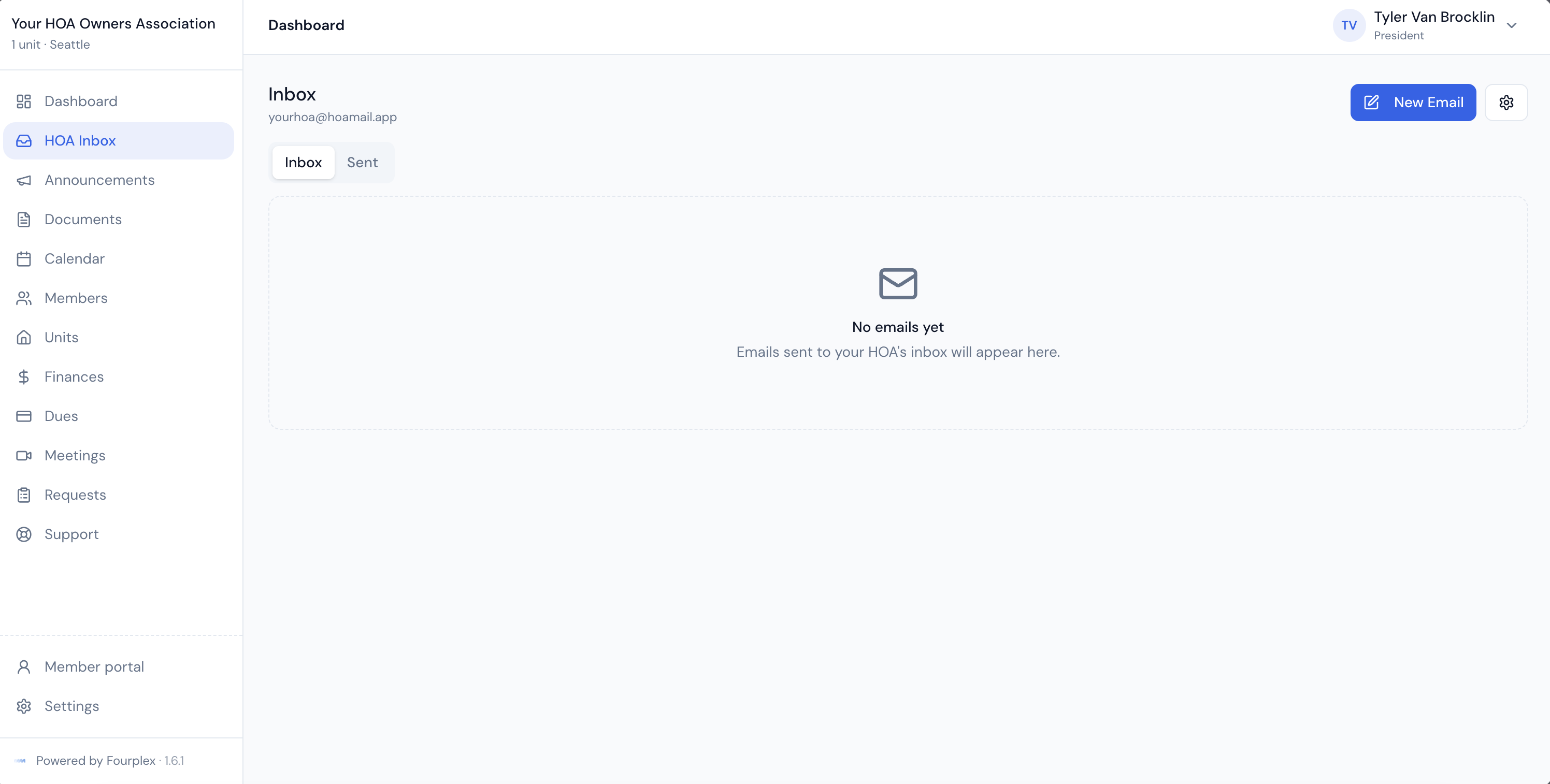
So we rebuilt it. Not a visual refresh on the same model — a real mailbox designed around how volunteer boards actually work.
A mailbox with folders, not just tabs
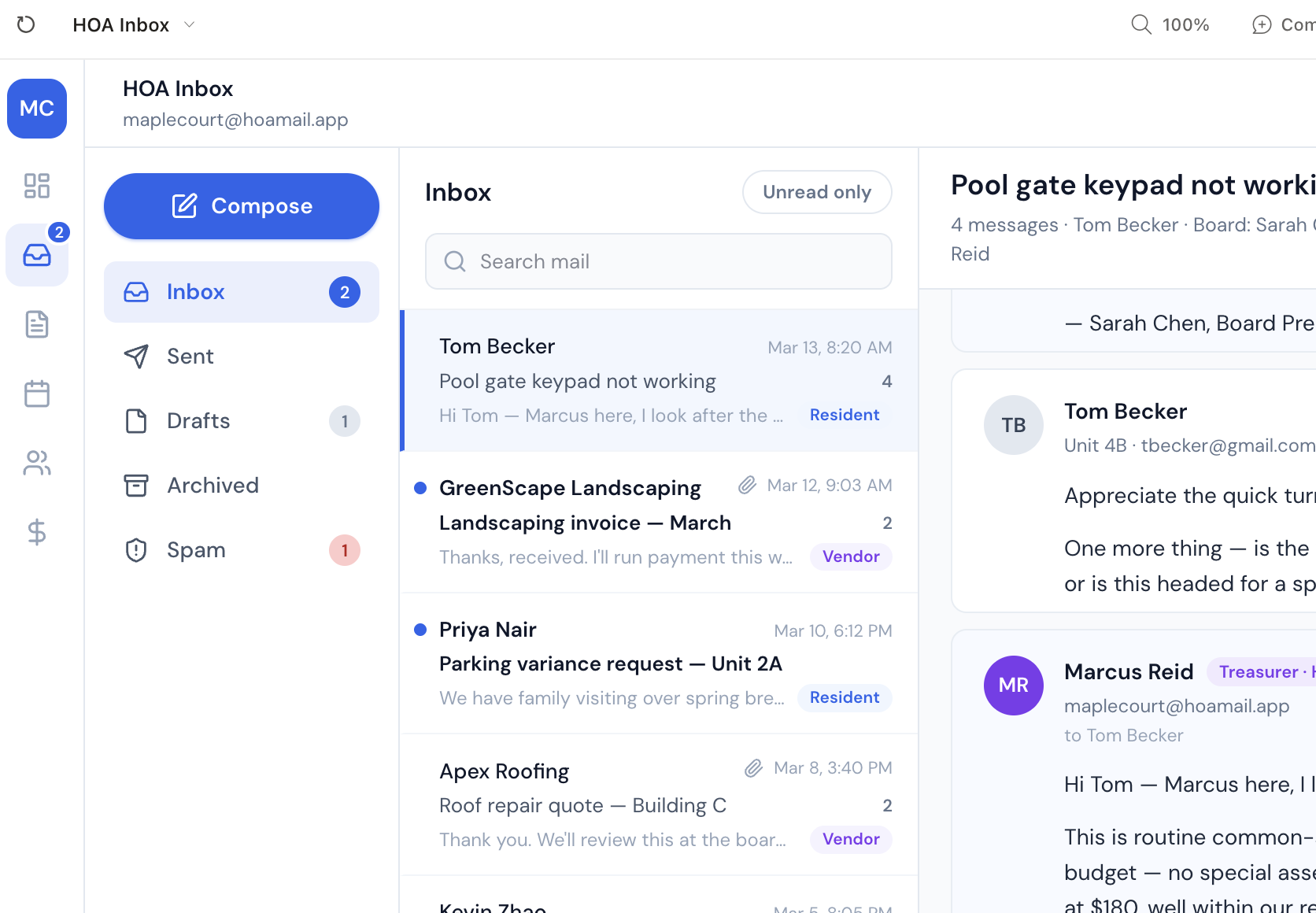
The new HOA Inbox is a three-pane workspace: folders on the left, conversations in the middle, the open thread on the right.
You get the folders boards actually need:
- Inbox — active conversations with inbound mail
- Sent — conversations that include mail your board sent
- Drafts — shared compose, reply, and forward drafts anyone on the board can finish
- Archived — conversations you have put away
- Spam — junk your board marked, with the latest outside sender blocked
An active conversation can show up in both Inbox and Sent when it has both sides of the exchange. Archive and Spam stay exclusive. Read, unread, starred, archived, and spam state are shared across the board — if one officer archives a thread, the rest of the board sees it archived too.
Conversations stay together
Replies now land in the conversation they belong to. When a resident follows up on a pool-gate issue from last week, it continues that thread instead of creating a lonely new item with no context.
Inside the reader, messages render in order with the context boards need at a glance: unit numbers for residents, board-role labels for officers, and clear badges for people outside the HOA. Scanning a four-message thread should tell you who lives in which unit, who on the board already answered, and whether the next note is from a vendor or a neighbor.
Search stays inside the folder you are looking at and covers subjects, bodies, names, addresses, attachment names, and drafts. Inbox also has an unread-only toggle for triage days when you only want what still needs a decision.
Compose from the directory, not from memory
The old compose flow asked you to remember email addresses. The new one asks who you are writing to.
Type a name, a unit, or an email. Quick groups cover All Residents and All Board Members with headcounts visible before you add them. The directory lists units so you can write Unit 3 without hunting for the right person first. Reply and new mail both support To and Cc, and Fourplex dedupes addresses before send so the same neighbor does not get two copies because they appear in To and Cc.
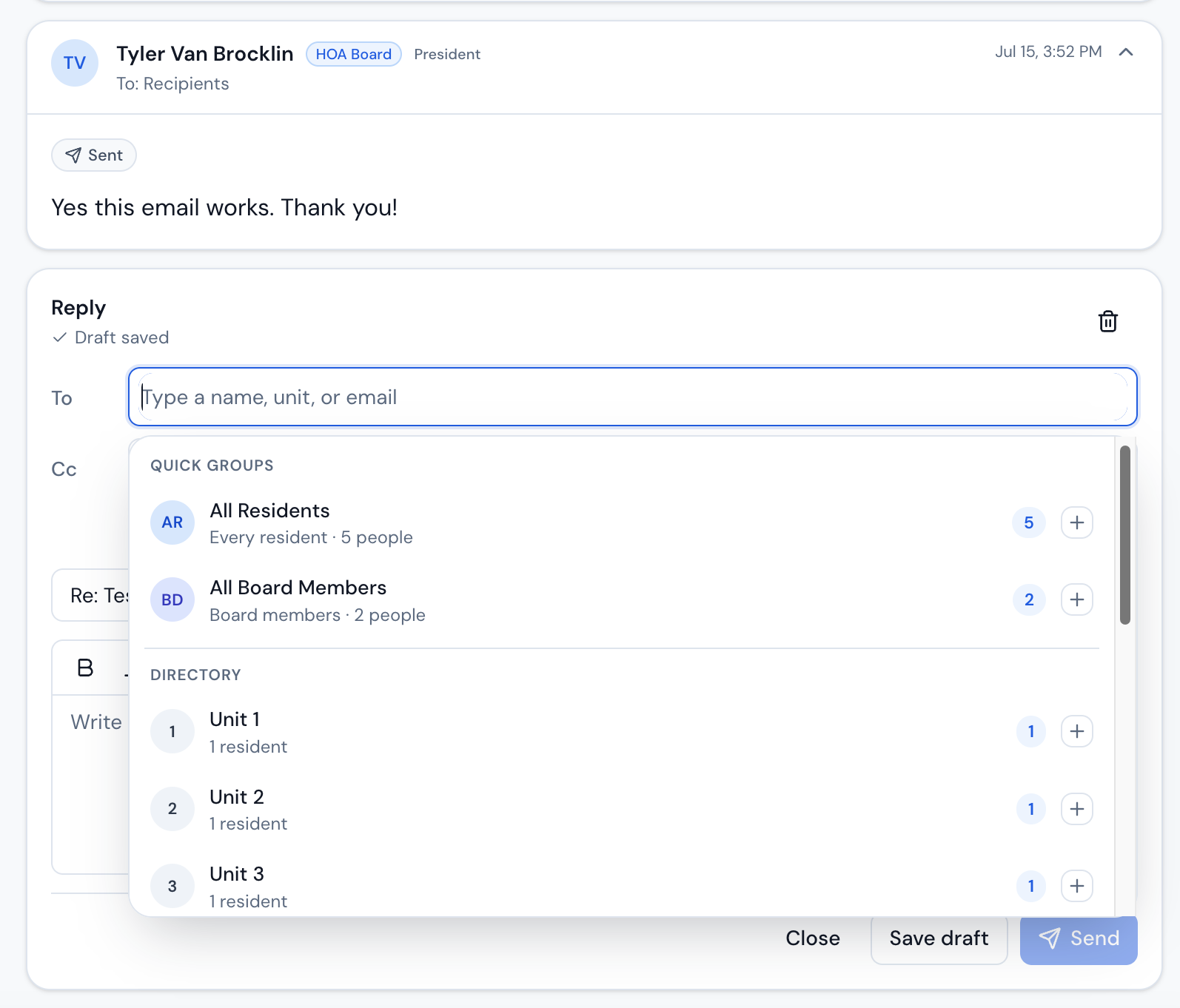
Drafts autosave into the shared Drafts folder. Another board member can pick up where you left off. If two people edit the same draft at once, Fourplex does not silently overwrite the newer version — it asks the stale editor to reload first.
Forwarding works the same way: forward the conversation, review the attachments that come along, and choose All Residents from the ordinary recipient picker when the whole community needs the trail. There is no separate "blast" mode to remember.
Shared email only works when the board can see the same conversation, the same recipients, and the same unfinished draft.
What this changes for a board
Practically:
- One shared history. Replies stay on the thread. Board members stop reconstructing context from personal inboxes.
- Faster triage. Role labels, unread-only, and folder search make it obvious what needs attention and who already answered.
- Safer sending. Directory groups and units reduce wrong-address mistakes. Delivery progress, retry, and editable resend stay on the conversation when something fails.
- Less "I thought you had it." Shared read/archive/spam state and shared drafts mean the mailbox itself is the source of truth.
What you need to do
Nothing special if you already use Fourplex. Existing messages moved into the threaded mailbox automatically. Open Inbox, check your notification preferences and blocked senders under inbox settings, and try composing once with a unit or All Residents so the new recipient picker feels natural.
A practical tip: the next time a resident writes about a repair, answer from the HOA Inbox and Cc the treasurer or the vendor from the same reply. The whole trail stays on the shared thread — including who said the budget was fine.
The rebuilt inbox is live for boards today. If something feels off, the support chat is still the fastest way to reach us.
Your community, simplified.
Start managing your HOA on Fourplex — plans from $19/month for small, self-managed communities.
Get started